> ## Documentation Index
> Fetch the complete documentation index at: https://library.micro1.ai/llms.txt
> Use this file to discover all available pages before exploring further.
# Navigating your micro1 expert email
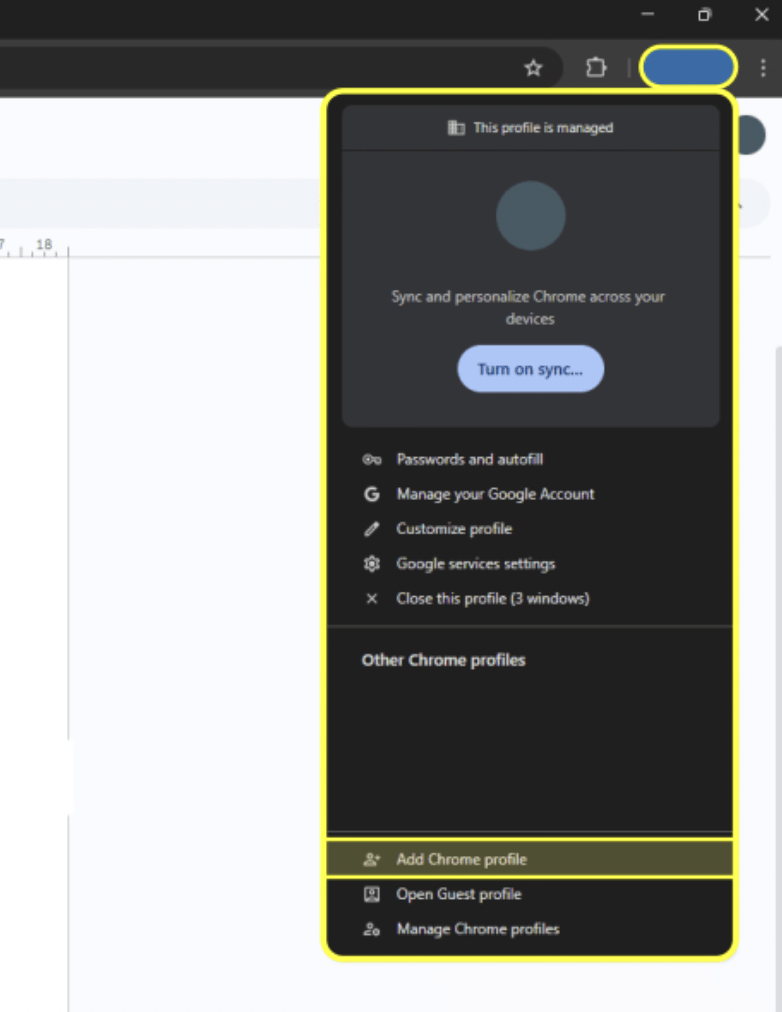
Your micro1 email works exactly like a Gmail account. To make access and use easier, we recommend creating a separate Chrome profile dedicated to your micro1 account. This will allow you to perform all your work under that account and access your emails and pipeline resources seamlessly.
## Steps:
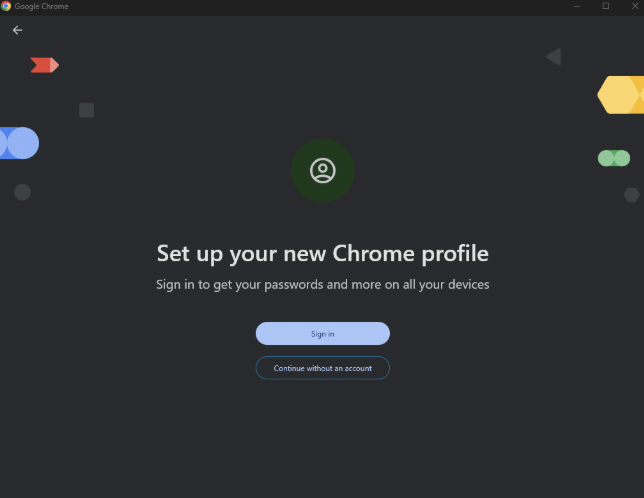
1. **Create a Chrome profile** – Set up a new Chrome profile and sign in using your Micro1 email credentials
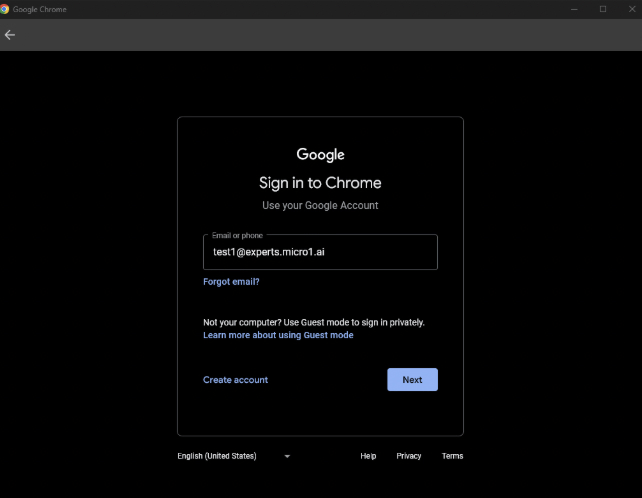
 2. **Log in** – Enter the micro1 email and the password provided to you.
 3. **Update your password** – You will most likely be prompted to update your password. When you do, save the updated credentials in a secure place.
4. **Access pipeline resources** – With this profile, you will have permission to access all pipeline resources tied to your micro1 account.
5. **Check your email** – You can access your micro1 inbox through Gmail as usual.
We’ve introduced 2-step verification (2FA) for expert email accounts to improve security. If you have an expert email and are not sure how to set up 2FA, please [follow this guide](https://support.google.com/accounts/answer/185839)!\
\
If you run into any issues while setting it up, please reach out to your leads.
3. **Update your password** – You will most likely be prompted to update your password. When you do, save the updated credentials in a secure place.
4. **Access pipeline resources** – With this profile, you will have permission to access all pipeline resources tied to your micro1 account.
5. **Check your email** – You can access your micro1 inbox through Gmail as usual.
We’ve introduced 2-step verification (2FA) for expert email accounts to improve security. If you have an expert email and are not sure how to set up 2FA, please [follow this guide](https://support.google.com/accounts/answer/185839)!\
\
If you run into any issues while setting it up, please reach out to your leads.